Installing eSIM(s) On Android Device's
This help guide walks you through the steps required to install an eSIM on Android Device's, the guide was created using a Samsung Galaxy S21 with the most recent version of Android software available at the time, Android 13.
There are two install options offered in this help guide, either "install using a QR code" or "manual install"
Before starting the install, it is important you have the following three components:
- A strong internet connection - Ideally using a Wifi network or a good 4G connection
- An eSIM compatible device
- The device is not locked to one particular network
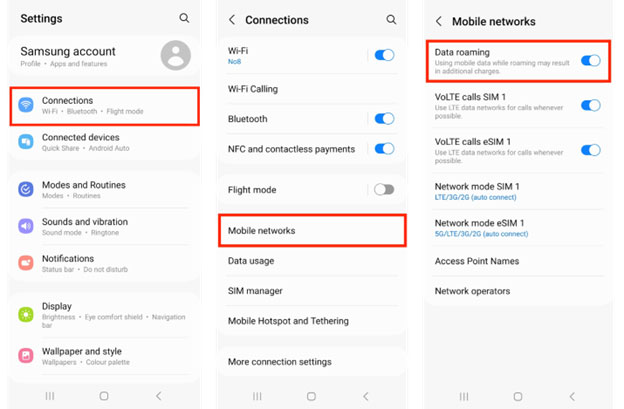
- Don't forget to turn on "Data Roaming" after install!
Install Using A QR Code
Step 1
Scan the QR code, there are two options for scanning
Either
1.1 Open camera Scan QR Tap "Add plan to phone"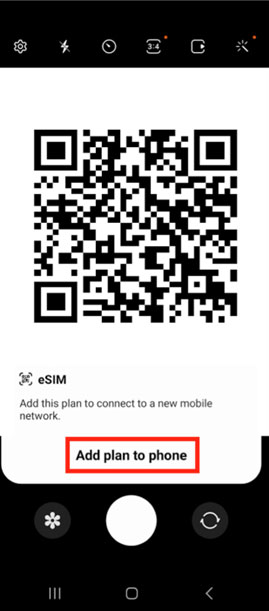
Or
1.2 Go to Settings Connections SIM manager Add eSIM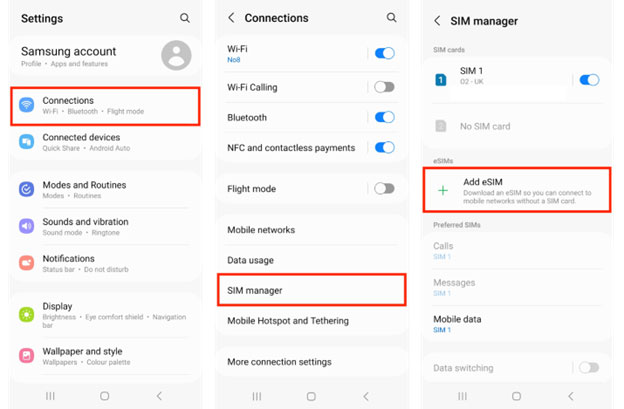
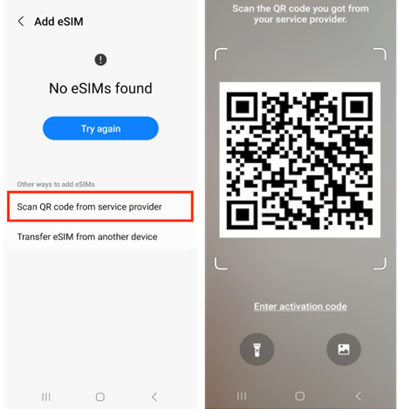
Step 2
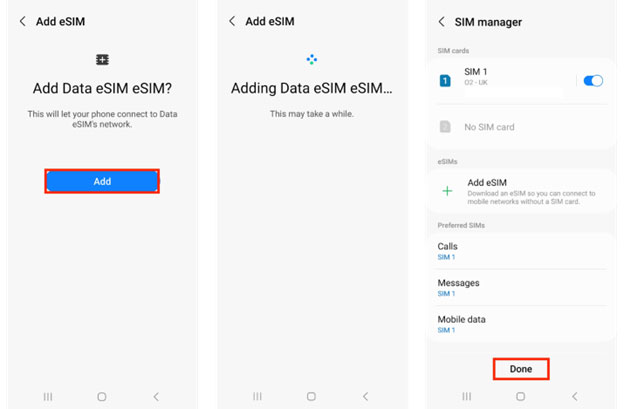
When prompted, tap "Add" Allow up to 10 minutes for the eSIM to activate Tap "Done"
Step 3
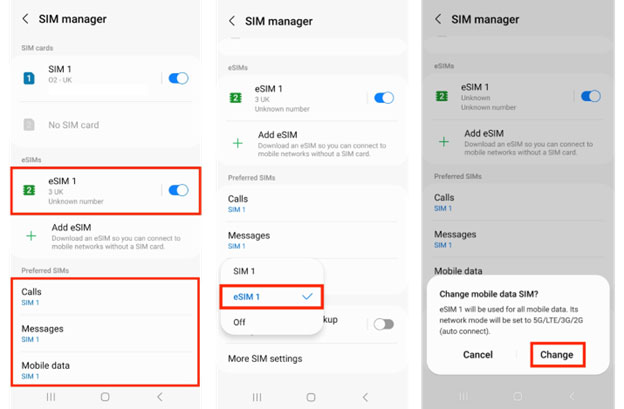
Now configure your SIM / eSIM settings correctly
3.1 Leave "Calls" and "Messages" set to your original primary SIM3.2 Tap "Mobile Data" Select the eSIM Tap "Change"
Step 4
Ensure Data Roaming is Active
Go to "Settings" Connections Mobile networks Ensure "Data roaming" is turned on